

In the days of yore, trade show exhibits were simple: graphics, products, and lights. Today’s exhibits feature hybrid booth layouts blending hardware and software. This physical and digital combination creates both design complexity and marketing opportunities.
Hybrid Booth Layouts Require a Different Strategy
Savvy exhibit designers are adept at optimizing traffic flow, messaging visibility, and engagement in the booth space. It’s a delicate balance, which more often than not, can easily become visually overwhelming and cluttered. Rather than engage, attendees bypass these “messy messaging” exhibits for booths with a clear floorplan and strategy. In this post, we’ll review the basics of hybrid booth layouts and how to create a design that sparks curiosity and maximizes attendee engagement.
Designing a hybrid trade show booth – one that balances physical hardware (machinery, equipment, or products) with digital software (apps, platforms, or data) – requires a layout that manages traffic flow while creating distinct engagement zones.
The goal is to ensure the physical hardware draws people in, while the software provides the depth and engagement needed to convert them.
So… are you ready to begin designing the booth? Probably not. You need a plan and a strategy.
A trade show is one of the most expensive marketing investments a company can make, not just in floor space and booth construction, but in travel, shipping, and staff time. Without a cohesive strategy, a booth is essentially an expensive piece of furniture rather than a business tool.
A well-defined plan ensures that every dollar spent translates into a measurable outcome. A strategy moves you from “being there” to “achieving something.” Without specific goals, it is impossible to calculate Return on Investment (ROI) or Return on Objective (ROO).
At a minimum, you need to focus on the Big Three:
- Pre-Show – Outreach & Logistics. How will people know to find us?
- At-Show – Engagement & Capture. How do we keep them in the booth once they arrive?
- Post-Show – Conversion & Analysis. How do we turn a badge scan into a measurable outcome?
On a crowded show floor, you are competing for the limited “dwell time” of attendees. A strategy ensures your booth isn’t just a static display, but a targeted experience.
Why Hybrid Booth Layouts Require a Different Strategy
While a standard booth often focuses on a single message or product, a hybrid booth is essentially managing two different user experiences simultaneously. Because these two elements compete for an attendee’s limited attention span, a hybrid layout requires a strategy centered on integration rather than just proximity.
- Managing Engagement Disparity: Physical hardware and digital software have different engagement speeds:
- Hardware is Instant: A person can see and understand a machine’s scale and form in seconds.
- Software is Incremental: Understanding an interface or data platform takes minutes of focused interaction.
- The Strategy: Your layout must prevent “bottlenecks.” If someone is deep into a software demo, they shouldn’t be blocking the aisle-side view of the hardware that attracts the next prospect. You need a “flow-through” design where the hardware acts as the entry point and the software stations are set back to allow for longer dwell times.
- Bridging the Touch vs Brain Gap: In a traditional booth, the product is the story. In a hybrid booth, the software is often the “brain” and the hardware is the “body.”
- The Challenge: If the software and hardware aren’t physically linked in the layout, the visitor won’t understand how they work together.
- The Strategy: Use Spatial Contextualization. This means placing the UI (User Interface) exactly where the physical action happens. Instead of a separate “software kiosk” across the booth, use mounted tablets or transparent OLED screens directly on the hardware so the attendee can see the digital data and the physical movement in one line of sight.
- Technical Requirements: Hybrid booths have exponentially higher technical requirements than static displays.
- Power & Data: You aren’t just lighting a backdrop; you are running server-grade hardware, high-bandwidth internet for cloud software, and complex AV.
- The Strategy: The layout must be designed around “The Nervous System.” This involves using raised flooring or “smart” counters with integrated cable management to hide the massive amount of wiring required. Accessibility for IT troubleshooting is just as important as the aesthetic of the booth.
- Lighting Challenges: Hardware usually benefits from bright, high-contrast spotlighting. Software screens, however, suffer from glare and “washout” under those same lights.
- The Strategy: You must implement Zonal Lighting. This involves using “shrouded” or recessed monitors that have their own internal brightness, while using focused, narrow-beam track lighting for the hardware to keep light spill off the digital displays.
- Staffing: A hybrid booth layout changes the “Social Strategy” of the booth.
- The Need: You need staff who can talk “speeds and feeds” for the hardware and “UI/UX/API” for the software.
- The Strategy: Design the booth with Expert Stations. Rather than having generalists roaming the floor, position “Software Architects” at the deep-dive stations and “Hardware Engineers” at the physical displays. This allows for a seamless “hand-off” as the prospect moves deeper into the booth.
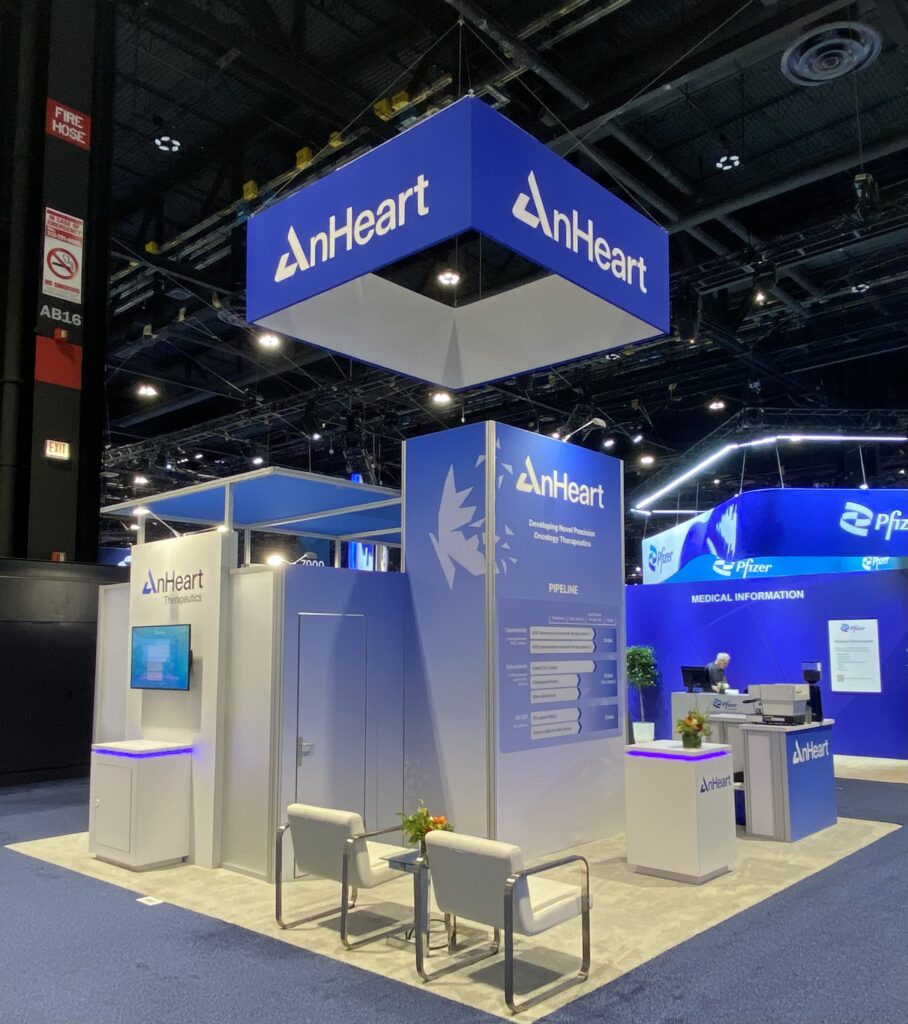
5 Design Strategies for a Hybrid Booth Layout
A design strategy for a hybrid trade show exhibit serves as a bridge between the physical hardware and the digital software. Without a deliberate plan, these two elements often compete for attention, leading to a cluttered booth and a confused visitor.
- The Anchor & Halo Strategy. In a hybrid layout, the hardware is the Anchor and the software is the Halo.
- The Anchor: Place your most impressive piece of hardware in a high-visibility area (often the front-third or center) to act as a visual magnet.
- The Halo: Surround the hardware with “digital layers.” Use tablets, touchscreens, or LED displays that explain what the hardware is doing, showing real-time data or internal processes that aren’t visible to the naked eye.
- Zoned Layout Design. To prevent congestion, divide the booth into functional tiers:
- The Attraction Zone (Perimeter): Use large-scale digital signage or a “hero” hardware piece to stop attendees in the aisle.
- The Interaction Zone (Mid-Booth): This is where hardware and software meet. Include demo stations where users can physically touch the equipment while using a digital interface (like a dashboard or AR overlay) to control it.
- The Deep-Dive Zone (Interior): For software-heavy products, create semi-private “pods” or seating areas with high-resolution monitors for 1-on-1 walkthroughs or complex data demonstrations.
- Integrated Demo Stations. A common mistake is separating the messaging from the machine. Instead, integrate them:
- Embedded Screens: Mount displays directly onto or adjacent to the hardware.
- The “Control Center” Feel: Use a cockpit-style layout where the attendee stands at a console (software) that faces the physical product (hardware).
- Cable Management: Since hybrid booths require significant power and data, use a raised floor system. This allows you to run cables anywhere in the booth without creating trip hazards or unsightly bundles.
- Lighting and Visual Balance. Hardware and software have different environmental needs:
- Screen Glare: Position monitors away from high-intensity overhead spotlights that can wash out software interfaces.
- Hardware Highlighting: Use focused track lighting or LED strips to accentuate the textures and moving parts of the physical equipment.
- Unified Branding: Use a consistent color palette across both the physical booth graphics and the software UI to make the experience feel like a single, cohesive ecosystem.
- The Digital Twin Approach. If the hardware is too large to bring to the show (or if you only have a prototype), use the booth space for a hybrid visualization:
- Display a smaller physical component of the machine.
- Use a large LED wall or a VR station to show the full-scale “Digital Twin” of the software and hardware working together in a virtual environment.
Comparison of Layouts
| Layout Style | Best For… | Key Feature |
| The Theater | High-traffic software demos | Large LED wall with hardware “on stage.” |
| The Workshop | Hands-on hardware training | Multiple small kiosks pairing a tool with a tablet. |
| The Lounge | Complex, data-heavy software | Comfortable seating with hardware as a backdrop. |
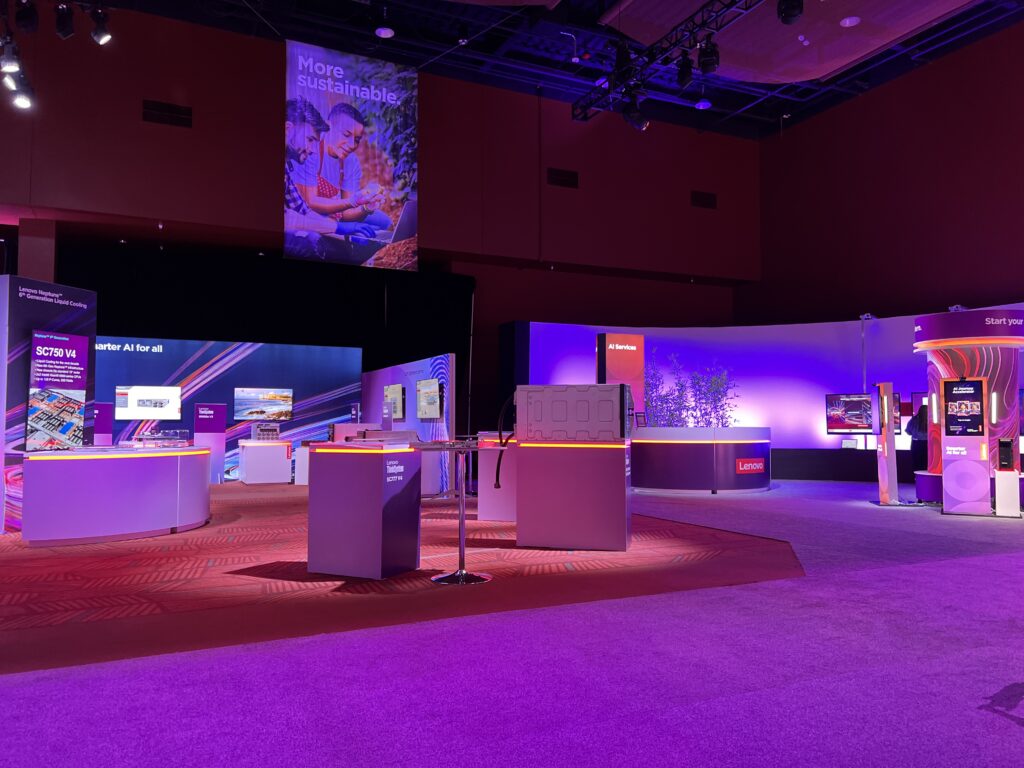
Traffic Flow in a Multi-Product Booth Design
Managing traffic flow in a multi-product booth is a balancing act. You want to avoid unproductive zones where products are ignored, while preventing congestion where there’s a crowd around one product that blocks the rest of your display. This can be hard to predict in advance. It’s
In a multi-product layout, the strategy shifts from a single focal point to navigational storytelling.
- The Primary and Secondary Layout. If you have one flagship product and several supporting ones, use the Primary to pull people in and the Secondaries to keep them moving.
- Primary: Place your most famous or visually striking product in the back-center or a front corner facing the primary aisle.
- Secondaries: Distribute secondary products in a semi-circle or “U” shape around the anchor. This forces attendees to walk past your other offerings to reach the main attraction.
- Define Clear Pathways. Just like a city, your booth needs wide, unobstructed paths.
- The 40% Rule: Aim for at least 40% open floor space. If the booth feels “stuffed,” people will stay in the aisle rather than step inside.
- Entry Points: Ensure there are at least two clear points of entry. If you only have one, you create a “dead-end” where people turn around and leave rather than exploring.
- Create Zones. Grouping products by application or industry helps attendees self-select where they belong.
- Visual Cues: Use different colored flooring inlays, hanging signs, or overhead lighting to define the category zones.
- The Benefit: This prevents a blender effect. Someone interested in Product A won’t be bumped by someone looking at Product C.
- The No Pressure Zone. Avoid placing a product or a greeting counter right at the very edge of your booth.
- The Strategy: Leave the first 3–5 feet of your booth space relatively clear. This “No Pressure” allows attendees to slow down, scan the entire booth, and decide which product to approach without feeling pressured by a staff member immediately.
- Staff Positioning. Traffic flow is often ruined by staff standing in the middle of pathways or blocking the entrances to the booth.
- Home Base: Give your staff specific zones to cover. That way they can quickly react to the traffic flow.
- The Hand-off Path: Design the layout so that if a lead is qualified at a perimeter product, there is a natural, wide path to a central “Deep Dive” or seating area for a longer conversation.
A successful hybrid trade show booth is more than just a physical space; it is a synchronized ecosystem. By treating your hardware as the “hook” and your software as the “story,” you transform a static exhibit into a dynamic experience that addresses both the immediate curiosity and the deeper technical needs of your attendees.
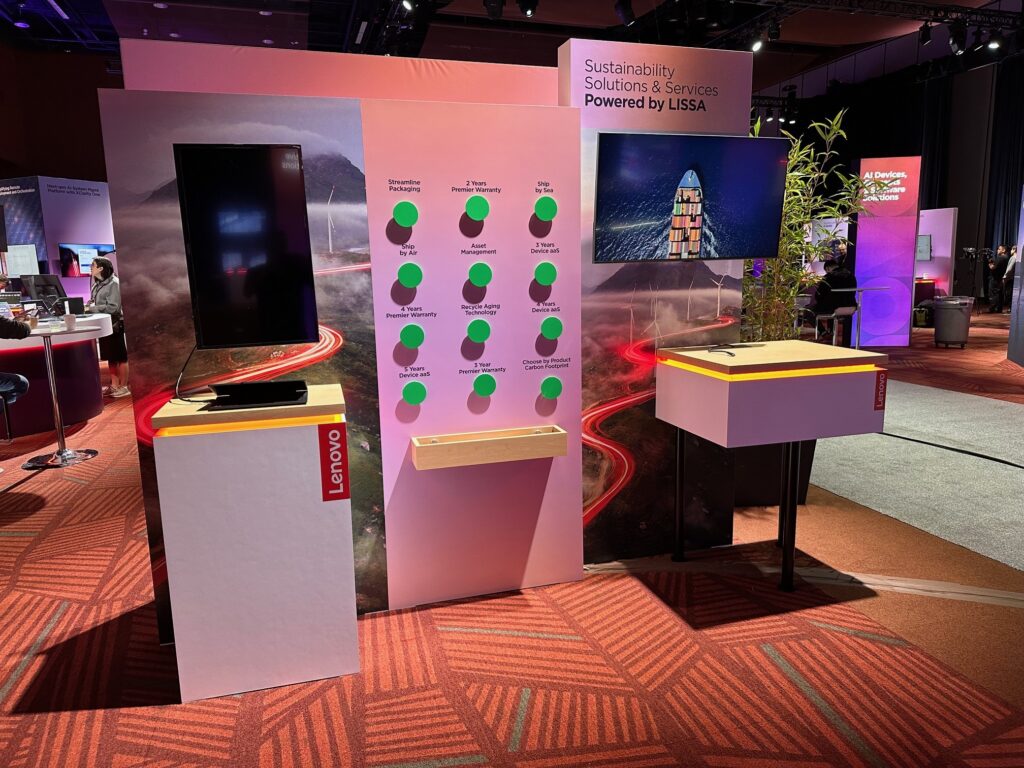
Technology and Infrastructure Planning for Hybrid Booths
You’ve done your job well. You have marketing strategy, a beautiful trade show booth, and a detailed “To Do” list. While all trade show booths have installation challenges, a hybrid trade show exhibit is often on another scale. Whatever you can finalize during the planning and staging phase at your exhibit house will make the actual installation less stressful. There will be surprises, but you want to minimize them. Surprises can impact the visual quality of your exhibit, the performance of your equipment (hardware and software), and increase the overall cost of the shop.
Planning for a hybrid environment requires treating the booth like a localized data center.
Hybrid booths consume significantly more power than standard exhibits. You are no longer just powering lights. Consider separating your “show power” (lighting and aesthetics) from your “tech power” (servers, PCs, and hardware). A surge in a motor shouldn’t flicker your software screens. In addition, ensure your technical components are on a different circuit than your “overnight” power, allowing lights to go off while servers stay on for updates or rendering.
Connectivity is the most common cause of hybrid booth failure, especially when exhibitors rely on the convention hall Wi-Fi. Many exhibitors won’t take that chance and will pay for hardwire Ethernet. They’ll run Cat6 cables to any station performing a software demo. Wireless interference in a hall with 20,000 people is a guarantee. As a backup plan. keep a high-speed 5G hotspot as a “Plan B” for basic lead retrieval or social media updates if the hardline fails.
Wiring & cable management for a hybrid booth can easily require miles of cabling. If not managed, this creates safety hazards and a cluttered look. A raised floor makes that much easier (and is the standard flooring in Europe shows). It creates a “crawl space” for power and data to reach any point in the booth without ugly “bridge” ramps.
Security & hardware protection is paramount, even for high-value portable electronics like tablets, VR headsets, and specialized controllers. Consider using physical locks or specialized table enclosures that bolt to cabinets or counters. In addition, use “Kiosk Mode” software to ensure attendees can’t exit your demo app to browse the web or change system settings.
Infrastructure Planning Timeline
| Timeframe | Task |
| 12 Weeks Out | Submit “Electrical & Internet” orders (Rates skyrocket later). |
| 8 Weeks Out | Finalize “Port Mapping” (Which cables go to which booth location). |
| 4 Weeks Out | “Stress Test” software on the actual hardware being shipped. |
| On-Site (Day 1) | Verify bandwidth speeds before the show floor opens to the public. |
When Custom Hybrid Booth Layouts Make the Difference
No two trade shows or two exhibiting companies are the same. And creating the perfect booth requires a strategy, careful planning, and a trusted exhibit partner. Whether you need a portable, modular, or custom exhibit, you need to know that an exhibit professional will ask the right questions and turn over “exhibition rocks” you may not have considered.
For over 30 years, Classic Exhibits has been a reliable source of expertise for new and seasoned trade show marketers. The Classic Exhibits Distributor Network includes over 200 exhibit houses and display professionals in North America. Find success on the trade show floor with an exhibit that reflects your marketing message. For more information, see www.classicexhibits.comm and explore Exhibit Design Search or request a meeting with a Classic Distributor Partner.