


Eco-Friendly Print Solutions
At Summit Graphics, offering eco-friendly alternatives isn’t an afterthought — it’s our standard. We provide sustainable solutions for traditional graphic production materials, helping brands reduce their environmental footprint without sacrificing quality.
In every step of our procurement, production, and fulfillment processes, we’re committed to sustainable technologies and practices. Those include recycled or recyclables substrates, PVC-free media options, and end-of-life repurposing.
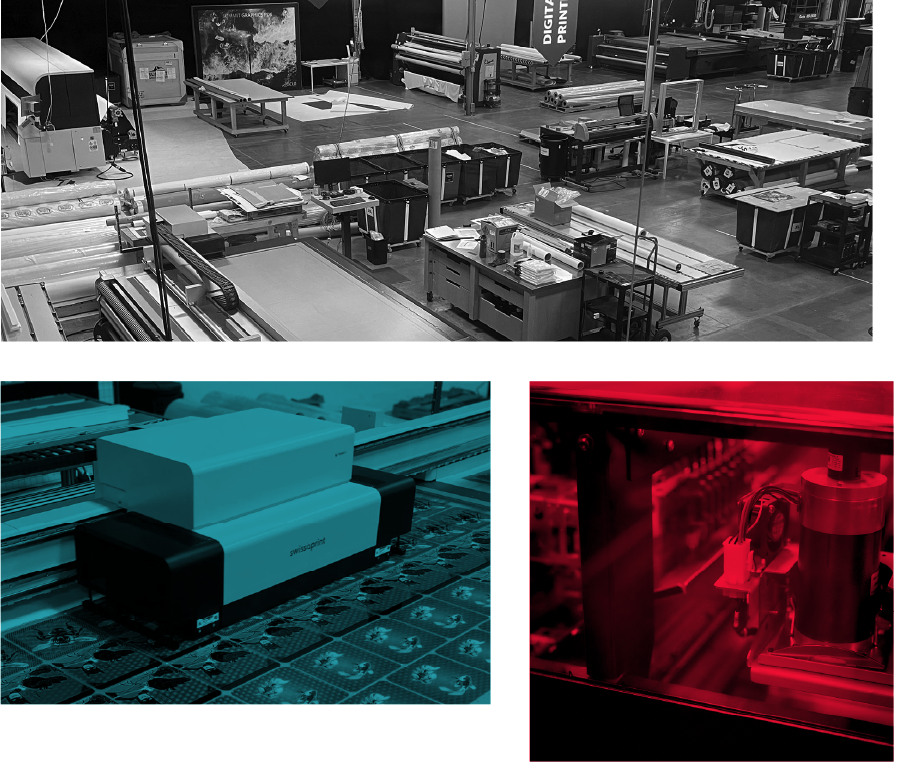
Our Services
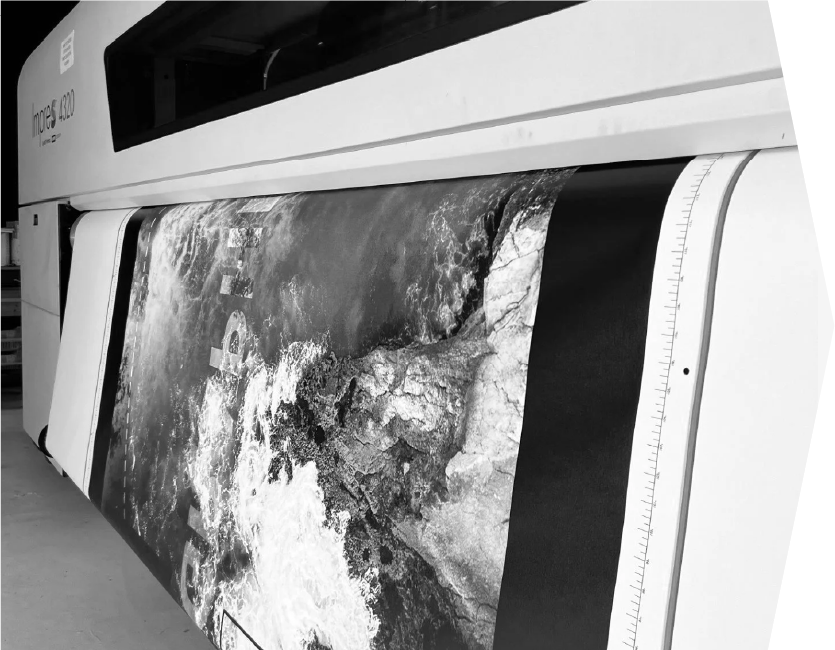
Wide Format Printing
- Fabric Dye Sublimation
- Direct Print
- Vinyl
- Silicone Edge (SEG)
- Lenticular
- Retail
- Way-finding
- Backlit Graphics
- Banners & Back Drops
- Dimensional Custom Cutting

Sustainable Solutions
- Eco-friendly Materials
- Sustainable Technologies and Practices
- Recycled, Recyclable, and FSC®-certified Substrates
- PVC-free and Non-toxic Print Media Options
- UV Inks with Low VOC emissions
- End-of-life Recycling or Repurposing
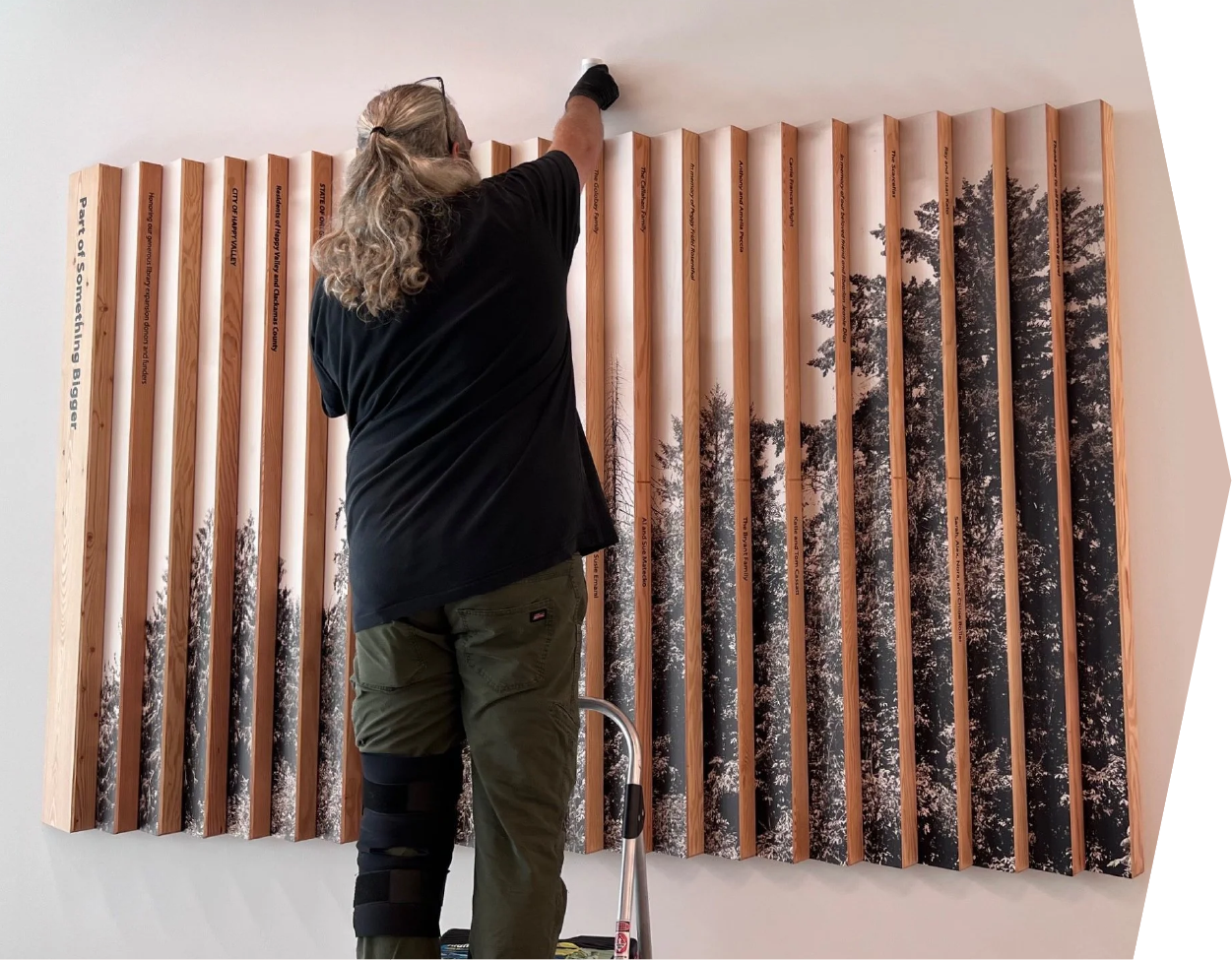
Installation, Fulfillment & Project Management
- Site Survey
- Installation
- Fulfillment
- Onsite Solution Planning
- Space Development
- Project Management

Custom Finishing & Textile Construction
- Complex Sewing
- Textile Construction
- Graphic Mounting
- Trimming
- Laser Cutting
- Color Match
We are Well Equipped
Print Capabilities
Fabric Dye-Sublimation Printing
- 126” Roll Width
- Large Format Silicone Edge Graphics
- Banners, Step & Repeat Backdrops
- Flags & Tents

UV Inkjet Digital Printing
- Max Size: 10 ft. x 6.5 ft.
- UV Curable Solvent -Free Inks
- Roll-to-Roll & Sheet Feed
- White, Effect Varnish, & Primer

High-Speed, High-Resolution Roll Printing
- Up to 1800 DPI
- Matte & Gloss Finishes
- UV Gel Inks
- Ideal for Vinyl, Film, Wallpaper & Event/Retail

Frequently Asked Questions:
Requirements, File Prep, & Submission Tips
Summit Graphics PDX is a division of Classic Exhibits, North America’s premier private-label designer and builder of trade show exhibits. Summit Graphics supplies fabric and direct print graphics for most Classic Exhibits purchase and rental orders. In addition, Summit Graphics works directly with Classic Distributor Partners on reprint graphics and non-trade show projects along with working with agencies and select clients.
The Classic Exhibits and Summit Graphics relationship ensures clients benefit from the unique strengths and capabilities of each company, whether that’s building three-dimensional structures or printing branded solutions.
We accept files using Adobe Illustrator, InDesign, Photoshop & Acrobat with Macintosh OS platform.
- Native document layout is best when created in Illustrator or InDesign.
- Links for Illustrator documents are best when created in Photoshop.
- Links for InDesign documents are best when created in Illustrator or Photoshop.
Native files should be packaged to include all supporting links and fonts.
You may include an approved low resolution PDF proof file to help as a visual reference.
- Outlined fonts are not editable. Live fonts are recommended so text changes can be made.
- Files should be supplied as one continuous document. Please do not create panels or tiles.
- A contour cut should be included in all files that need to be trimmed in any way other than document trim size. Cut paths should be on a layer designated as ‘Cut’ and built as vector.
- Gradients are reproduced best when created in Photoshop and placed in the native file.
- If the file needs to be scaled, please use 10%, 25%, or 50% of actual size.
- Desired spot color can be defined as a PANTONE match and should be assigned to all applicable elements in all (If using PANTONE please specify whether Coated or Uncoated)
- Raster files should be 100 ppi at size with acceptable image quality.
- Fabric graphics require a minimum of 1” of bleed on all sides – for a total of 2”.
- All other graphics require a minimum of .5” of bleed on all sides – for a total of 1”.
For graphics greater than 5 ft., please discuss bleeds with your Summit Graphics PDX Project Manager.
- Pole pocket files have a top and bottom margin that will be as wide as pole diameter plus 1.5”.
- When White Ink and/or Varnish are being used, file(s) should have the desired area called out as
- “White” and/or “Varnish” on layers of the same names respectively.
Color can be one of the most challenging parts of print production—and one of the most important. A color that looks perfect on screen or on one material may look very different once it’s printed, installed, or backlit. This guide will help set expectations, explain why that happens, and show you how to get the best possible results without unnecessary cost or reprints.
Pantone, CMYK & Color Reality
Pantone (PMS) colors are defined using specific ink formulas and are typically intended for opaque, front-lit printing.
- We print using CMYK (4-color process).
- Many Pantone colors convert very well to CMYK.
- Some Pantone colors fall outside the CMYK color gamut, meaning they must be visually matched rather than perfectly replicated.
- For brand-critical colors, especially vibrant greens, the goal is often a visual match in the final environment, not a literal ink formula match.
Materials & Lighting Change Everything
Color doesn’t exist in a vacuum—it reacts to its environment. The same artwork can look different depending on:
- Material (vinyl, fabric, acrylic, backlit film, mesh, etc.)
- Surface finish (matte vs. gloss)
- Lighting (front-lit, showroom lighting, or backlit)
- Backlit graphics are especially sensitive. Light passing through the material can brighten, cool, or shift a color—even when the CMYK values are technically correct.
- For backlit or specialty materials, we often recommend building a custom color that looks right when lit, rather than strictly matching a Pantone number.
Transparency, Layers & Why Color Can Shift
Modern artwork often includes Transparency, Drop Shadows, Gradients, Blending Modes
These effects look great on screen, but they must be mathematically “flattened” by print RIP software before printing. During that process, subtle color shifts can occur—especially in overlapping or semi-transparent areas.
To keep color predictable:
- Flatten transparencies when possible
- Export using PDF/X-1a or PDF/X-4
- Avoid last-minute file changes when color is critical
Avoid the Ordinary, Embrace the Extraordinary
Your Trade Show Success Starts Here
Elevate your trade show experience with branding that deliver distinction and dependability. Begin your partnership with Classic Exhibits and turn the vision of your brand into a reality. Our streamlined process ensures a seamless experience from design to delivery.
Step 1
Request a Distributor
Connect with a local expert who will consult with you about your printing or branding needs.

Step 2
Design Your Perfect Solution
Working together, we’ll craft a solution that perfectly captures your brand’s story.

Step 3
Crush It!
Unveil a branded solution that impresses attendees and exceeds all your marketing your objectives.

Ready to Get Creative?
Elevate your space by partnering with Summit Graphics!
Bring your designs to life through precision production, reliable processes, and close collaboration with our agency and distributor partners.
We support creative teams by translating concepts into high-quality, install-ready graphics with our custom solutions and a large supportive network backed by our Shared Success Formula = Shared Knowledge + shared responsibility + shared innovation.